Flutter
crdt_lf_flutter rebuilds your
widgets when the CRDT state changes: for the whole document, or scoped to
one handler. It also gives collaborative text fields, editor bindings and
presence cursors.
It is built on provider, like
flutter_bloc. So context.read / context.watch / context.select work for a
CRDTDocument too.
flutter pub add crdt_lf crdt_lf_flutter
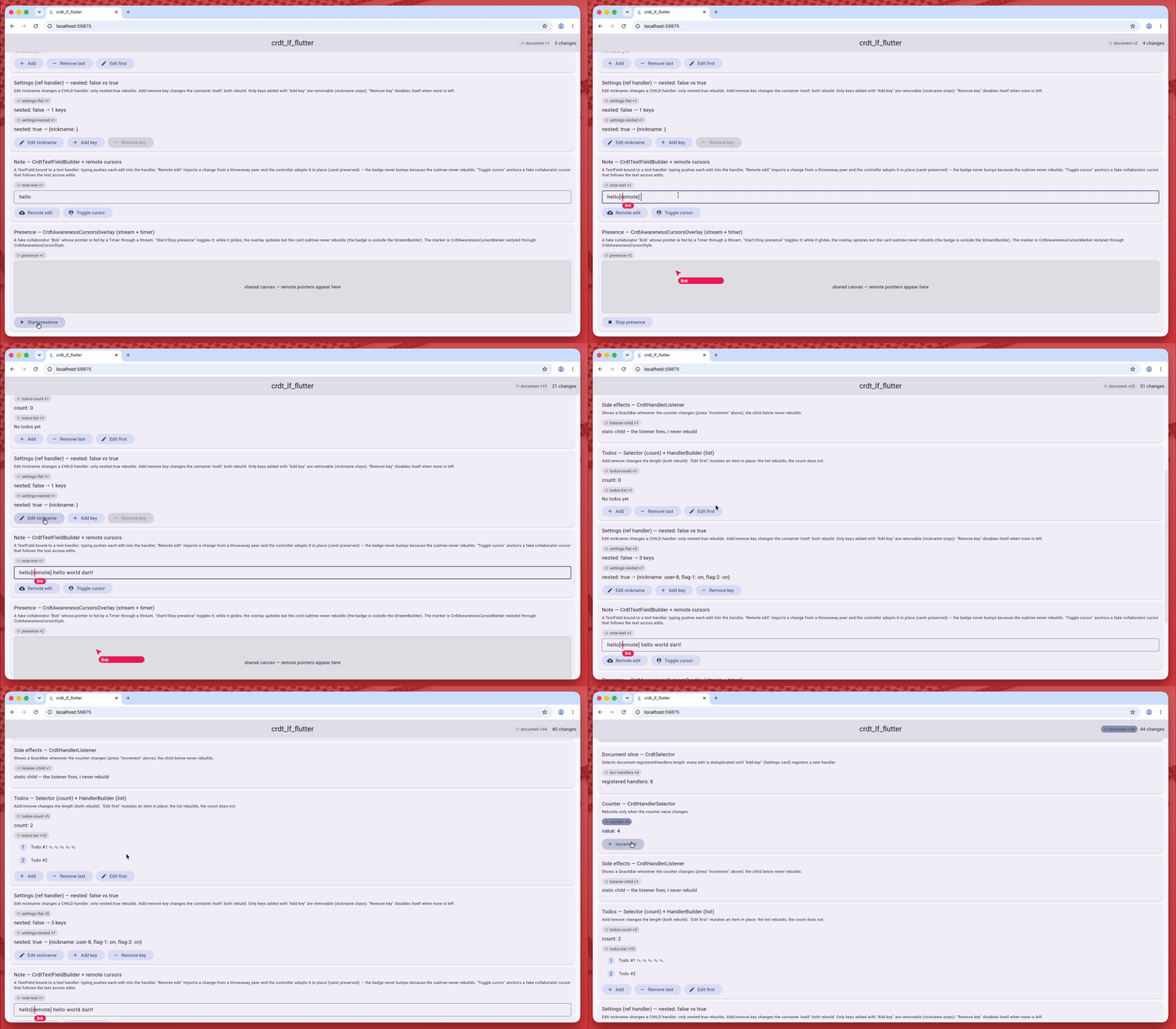
⟳ rebuilt ×N badge shows which parts re-render as you edit.Provide a document
// Owning mode: the provider creates the document lazily and disposes it.
CrdtProvider(
  create: (_) => CRDTDocument(),
  child: const MyApp(),
);

// Value mode: you own the document lifecycle.
CrdtProvider.value(value: doc, child: const MyApp());
With a replica or a storage backend, use the value mode on the document they open: they close it. The Flutter note recipe shows where a page opens and closes it.
Rebuild on the whole document
// Rebuild on any change.
CrdtBuilder(
  builder: (context, document) => Text(textHandler.value),
);

// Rebuild only when a derived slice changes.
CrdtSelector<int>(
  selector: (context, document) => listHandler.value.length,
  builder: (context, count) => Text('$count todos'),
);
Rebuild on one handler
Rebuild only when one handler changes: other handlers do not trigger a rebuild.
CrdtHandlerBuilder hands you the typed handler (the base Handler has no
value). It is also the right tool for a list or map whose value is a live
view: a value Selector would not see it change.
CrdtHandlerBuilder<CRDTListHandler<String>>(
  id: 'todos',
  builder: (context, handler) => Text('${handler.value.length}'),
);

// A derived slice of one handler.
CrdtHandlerSelector<CRDTListHandler<String>, int>(
  id: 'todos',
  selector: (context, handler) => handler.value.length,
  builder: (context, count) => Text('$count'),
);

// Also rebuild when a nested (descendant) handler changes.
CrdtHandlerBuilder<CRDTMapRefHandler>(
  id: 'root',
  nested: true,
  builder: (context, handler) => ...,
);

// Side effects only, no rebuild.
CrdtHandlerListener<CRDTListHandler<String>>(
  id: 'todos',
  listener: (context, handler) => showSnackBar(...),
  child: ...,
);
What a rebuild check costs:
CrdtHandlerBuilderandCrdtHandlerListenercompare one number, the handler's revision:O(1), whatever the size of the value.- With
nested: truethey read the revision of every descendant handler: the cost grows with the number of descendants. CrdtHandlerSelectorruns yourselectoron every document update and compares the result with==: keep the selector cheap.
See Flutter internals.
Deleted handlers
A handler deleted with doc.deleteHandler (on any peer) is not an error. A
widget bound to it shows its deletedBuilder, or an empty box when there is
none; a listener stops calling back. This holds for every widget that is bound
to a handler id.
CrdtHandlerBuilder<CRDTFugueTextHandler>(
  id: chapterId,
  builder: (context, handler) => Text(handler.value),
  deletedBuilder: (context) => const Text('This chapter was deleted'),
);
An id that was never registered still throws a FlutterError: that one is a
wiring mistake.
Write without rebuilding
For an action (insert, delete, change) you do not need reactivity. Read the handler once:
context.crdtHandler<CRDTListHandler<String>>('todos').insert(0, 'new');
It throws a HandlerDeletedException for a deleted handler.
The other context helpers: context.crdtDocument,
context.watchCrdtDocument() and context.selectCrdtDocument(...).
Beyond rebuilding
| You want to | Page |
|---|---|
know what each change did: long lists, AnimatedList | Delta widgets |
a collaborative TextField, with the carets of the other peers | Text fields |
| the mouse pointers of the other peers over a pane | Presence |
| a full editor, such as flutter_quill | Editors |
| show the document as it was after a past change | History |
Complete apps: a note saved on the device and a todo list. Every widget, with its arguments, is in the API reference.
Benchmarks
The package has benchmarks for its text fields: see the crdt_lf_flutter results.