CRDT Socket Sync







Overview
CRDT Socket Sync provides a robust, real-time synchronization system that allows multiple clients to collaborate on shared documents without conflicts. Built on top of crdt_lf, this package enables seamless data synchronization with automatic conflict resolution.
Features
- 🔄 Real-time Synchronization: Instant propagation of changes across all connected clients
- 🌐 WebSocket Support: Built-in WebSocket client and server implementations
- 🔧 Conflict Resolution: Automatic conflict-free merge of concurrent operations
- 📦 Compression: Optional data compression for efficient network usage
- 🔌 Modular Architecture: Separate client and server components with clean abstractions
- 📡 Automatic Reconnection: Robust connection handling with automatic retry logic
- 💓 Liveness Detection: Ping/pong tracking detects half-open connections and reconnects
- 🚰 Backpressure: Bounded per-connection send queue drops peers that cannot keep up (they re-sync on reconnect)
- 🗜️ History Pruning: Server takes a snapshot and prunes confirmed history once every client aligns on a common frontier
- 🤝 Version & Capability Handshake: A client whose build cannot read what the document holds is refused at connect time, not on the first broken read (details)
- 📊 Event Monitoring: Comprehensive event streams for connection and synchronization monitoring
- 🔌 Plugins: Extendable plugin system for custom functionality
- 📮 Relay Mode: An alternative sync model where the server is a CRDT-agnostic relay — it persists and rebroadcasts opaque change blobs while merging happens entirely on the clients (details)
Built-in Plugins
- 📡 Awareness Plugin: Track the awareness of the clients.
Installation
Add this package to your pubspec.yaml:
dependencies:
  crdt_socket_sync:
  crdt_lf:
Then run:
dart pub get
Communication modes
The package ships two independent synchronization models. Pick one per deployment — the wire format, type-code convention and the plugin system are shared, but the server responsibilities are very different:
- Server–Client mode (CRDT-aware) — the
server holds the documents, applies incoming changes, computes deltas and
prunes confirmed history. Use it when you want a single authoritative backend
that understands
crdt_lf. - Relay mode — the server is dumb: it persists and
rebroadcasts opaque change blobs per room and never parses CRDT data; merging
happens entirely on the clients. Use it for cheap horizontal rooms, easy
porting to other runtimes (including serverless), and to keep the backend free
of
crdt_lf.
Cross-cutting concerns (plugins, compression, wire format, connection status) are documented once under Shared topics.
Opening a replica
A client app needs three things together: the document as this device last
left it, a storage that keeps writing it down, and a sync client. They open
and close in a set order. CRDTReplica holds all three and keeps that order:
import 'package:crdt_lf/crdt_lf.dart';
import 'package:crdt_lf_sqlite/crdt_lf_sqlite.dart';
import 'package:crdt_socket_sync/replica.dart';
import 'package:crdt_socket_sync/web_socket_client.dart';

final replica = await CRDTReplica.open(
  documentId: 'notes',
  storage: () => CRDTSqlite.open('notes.db'),
  sync: (document) => WebSocketClient(
    url: 'ws://localhost:8080',
    document: document,
    author: document.peerId,
  ),
);
final text = CRDTFugueTextHandler(replica.document, 'body');

// ...edit

await replica.close();
openrestores the document first, then builds the client on it and starts to connect. It returns without waiting for the network, so the local copy is ready at once. Followreplica.client!.connectionStatusfor the connection.closedisposes the client, writes what is still waiting, then closes the document and the storage.- Leave
storageout to keep the document in memory. Leavesyncout to keep it on this device. For the relay, return aWebSocketRelayClientfromsync. - Pass
onStorageErrorto keep going when the storage cannot be read: the document then starts empty, in memory, andonDocumentruns again on it. Without it,openthrows.
Server–Client mode (CRDT-aware)
In this mode the server owns the documents through a
CRDTServerRegistry: it validates handshakes with version
vectors, applies incoming changes, broadcasts them to the other clients, and
takes snapshots to prune confirmed history.
Quick Start
Server Setup
import 'dart:io';
import 'package:crdt_socket_sync/web_socket_server.dart';

void main() async {
  // Create a server registry to manage documents
  final registry = InMemoryCRDTServerRegistry();

  // Create and start the WebSocket server
  final server = WebSocketServer(
    serverFactory: () => HttpServer.bind('localhost', 8080),
    serverRegistry: registry,
  );

  await server.start();
  print('Server started on localhost:8080');

  // Listen to server events
  server.serverEvents.listen((event) {
    print('Server event: ${event.type} - ${event.message}');
  });
}
Client Setup
import 'package:crdt_socket_sync/web_socket_client.dart';
import 'package:crdt_lf/crdt_lf.dart';

void main() async {
  // Create a CRDT document
  final document = CRDTDocument(peerId: PeerId.generate());

  // Register handlers for different data types
  final listHandler = CRDTListHandler<String>(
    document,
    'shared_list',
    handlerType: 'shared-list',
  );

  // Create the client
  final client = WebSocketClient(
    url: 'ws://localhost:8080',
    document: document,
    author: document.peerId,
  );

  // Monitor connection status
  client.connectionStatus.listen((status) {
    print('Connection status: $status');
  });

  // Connect to server
  final connected = await client.connect();
  if (connected) {
    print('Connected successfully!');

    // Make changes to the document
    listHandler.insert(0, 'Hello, World!');
  }
}
In an app, open the document through CRDTReplica.
How it works
Connection & Handshake Phase
Real-time Updates
Out-of-sync Recovery
Server Registry
The server stores documents through a CRDTServerRegistry. Two come with the
package: InMemoryCRDTServerRegistry, which keeps everything in memory, and
PersistentServerRegistry, which keeps every
document on disk through any crdt_lf storage adapter. Write your own only if
neither fits.
Mix in CRDTServerRegistryDocuments: it applies changes, takes snapshots and
counts documents. You say where the documents live. A DocumentSnapshotFeed
reports the snapshots your documents take: track each document you open,
untrack it when you let it go. If you store snapshots, pass onSnapshot to
start: the feed reports a snapshot once the future it returns completes.
class CustomServerRegistry
with CRDTServerRegistryDocuments
implements CRDTServerRegistry {
CustomServerRegistry()
: _documents = {},
_feed = DocumentSnapshotFeed() {
_feed.start();
}
final Map<String, CRDTDocument> _documents;
final DocumentSnapshotFeed _feed;
Future<void> addDocument(String documentId, {PeerId? author}) async {
final document = _documents[documentId] = CRDTDocument(
peerId: author ?? PeerId.generate(),
documentId: documentId,
);
_feed.track(documentId, document);
}
Future<CRDTDocument?> getDocument(String documentId) async =>
_documents[documentId];
Future<bool> hasDocument(String documentId) async =>
_documents.containsKey(documentId);
Future<Set<String>> get documentIds async => _documents.keys.toSet();
Stream<ServerSnapshot> get snapshots => _feed.snapshots;
// ... removeDocument (with _feed.untrack), getLatestSnapshot, and close
// (with _feed.close).
}
applyChangeMUST letCausallyNotReadyExceptionpropagate: the server relies on it to detect an out-of-sync client and trigger a re-sync. Swallowing it would silently drop the change.
Persisting changes & snapshots
InMemoryCRDTServerRegistry is not durable — documents are lost on restart.
You do not have to write the durable one yourself: PersistentServerRegistry
is a CRDTServerRegistry that keeps every document it serves on disk, on any
adapter.
final registry = PersistentServerRegistry(
  backend: await CRDTHive.open(),
  // Snapshot a document once its log passes this many changes.
  compactAfter: 500,
);
That is the whole setup. backend is a
CRDTStorageBackend — an
adapter's CRDTHive.open(), CRDTDrift.open() or CRDTSqlite.open() — and it is where the
documents, their snapshots and the identity the server writes them under all
live.
It holds the live documents and routes to them, the way any registry does. It
never reads or writes storage by hand. Each document gets a
CRDTDocumentPersistence, which
follows CRDTDocument.events and writes down what each event reports. So:
- a change applied through
applyChangeis batched with the ones around it instead of costing one write each, - a snapshot replaces the one before it, and the prune that follows drops exactly the changes it covered — both inside one transaction where the backend has one,
- documents open lazily, so a document costs nothing until something asks for it.
writeDelay is how long a change waits for the ones after it. It leaves a
window where a change is acknowledged but not yet on disk, and that is safe: a
client reconciles at the next handshake and re-sends whatever the server no
longer has. Pass Duration.zero to make the window as small as it gets.
That window is also why a shutdown has to close the registry: what is still
waiting has to be written before the process ends. WebSocketServer.dispose
does it for you. Closing the registry by hand is only for a server that owns
one without a WebSocketServer around it:
await registry.close();
The registry refuses to open anything after that.
Getting a document back out of memory
Opening lazily is one half. A document stays in memory once it has been asked for, so a server that never lets go holds every room it has ever served.
// When the last client of a room disconnects.
await registry.releaseDocument(roomId);
releaseDocument writes what the document is holding, closes it, and leaves the
id in the catalog: the room is still served, it is just not in memory, and the
next getDocument reads it back from the storage. That is what separates it
from removeDocument, which drops the room from the catalog — and with the
default catalog, deletes it.
idleAfter does the same on a timer, for a server with no natural place to
call releaseDocument:
final registry = PersistentServerRegistry(
  backend: await CRDTHive.open(),
  idleAfter: const Duration(minutes: 10),
);
One rule either way: the document must not be in use. Releasing disposes it,
and a caller still holding what an earlier getDocument handed back would be
writing into a disposed document. Every session in this package re-reads through
getDocument, so releasing between two requests is safe — which is why
idleAfter should be far longer than a request takes.
Pick your backend — the registry only ever sees the CRDTStorageBackend
interface:
- crdt_lf_hive — Hive-backed storage
- crdt_lf_drift — Drift (SQL) storage
- crdt_lf_sqlite —
sqlite3storage
The list of documents
documentIds, hasDocument and documentCount come from a
ServerDocumentCatalog. You do not have to write one: the default is
BackendDocumentCatalog, which asks the backend, because a CRDTStorageBackend
already lists the documents it holds. The server keeps no second list that can
drift from the first, and it finds its documents again after a restart with
nothing to configure.
One consequence to know: with that catalog, removeDocument deletes the
document — its changes, its snapshots and its identity. Forgetting a document
without deleting it is not something the backend can express, and
releaseDocument is what you want to get one out of memory.
Pass InMemoryServerDocumentCatalog for a server that should start empty every
time and fill up as clients name their documents, or write your own three
methods over whatever list you already keep:
abstract interface class ServerDocumentCatalog {
  Future<Set<String>> get documentIds;
  Future<void> add(String documentId);
  Future<void> remove(String documentId);
}
Broadcasting a compaction
A snapshot comes with a prune, so the history it covers leaves the server. A
client still replaying that history has to be given the snapshot instead.
There is nothing to wire for it: a WebSocketServer or DocumentSessionHost
sends each snapshot a document of its registry takes to the clients of that
document, once it runs and once the registry has stored the snapshot.
PersistentServerRegistry waits until the disk can bring back the version of
the snapshot, so a client never gets a state the server could lose. The snapshots stream of the registry reports them too,
for logging or metrics.
The example server puts all of this together:
registry.dart.
The relay mode does not use any of this. A
RelayStorekeeps opaque blobs the relay never decodes, keyed by a per-room sequence number, so it is deliberately not built oncrdt_lf_persistence— a relay does not have to be written in Dart, let alone know what a CRDT is. On the relay client side persistence is the app's own document: open it beforeconnect(), and the welcome reconciliation pushes whatever the relay is missing.
Server Events
Monitor detailed synchronization events on the server:
server.serverEvents.listen((event) {
  switch (event.type) {
    case ServerEventType.clientConnected:
      print('Client ${event.data?['clientId']} connected');
      break;
    case ServerEventType.clientDisconnected:
      print('Client ${event.data?['clientId']} disconnected');
      break;
    case ServerEventType.clientChangeApplied:
      print('Change applied from client');
      break;
    // clientHandshake, clientDocumentStatusCreated, clientOutOfSync,
    // messageBroadcasted, messageSent, snapshotCreated, error, ...
  }
});
Imports
// Basic client interfaces
import 'package:crdt_socket_sync/client.dart';

// WebSocket client implementation
import 'package:crdt_socket_sync/web_socket_client.dart';

// CRDTReplica: the document, its local storage and its client, in order
import 'package:crdt_socket_sync/replica.dart';

// Server interfaces and the transport-free DocumentSessionHost (no dart:io)
import 'package:crdt_socket_sync/server.dart';

// WebSocket server implementation (dart:io)
import 'package:crdt_socket_sync/web_socket_server.dart';
Relay Mode
The package ships a second, independent sync model next to the CRDT-aware server described above: relay mode. Here the server is a dumb relay — it persists and rebroadcasts opaque change blobs per room and never interprets CRDT data; merging happens entirely on the clients. The room is identified by the document id: one relay server hosts many rooms.
When to use it
The only fundamental difference between the two modes is where the CRDT logic lives:
- Server–Client (CRDT-aware) — the server understands
crdt_lf: it applies and merges changes and computes the deltas each client needs. - Relay — all the CRDT logic runs on the clients; the server only stores the changes opaquely and rebroadcasts them, never parsing CRDT data.
Everything else (delivery guarantees, reconnect policy, initial sync) follows
from that choice. Pick relay when you want a CRDT-agnostic backend (no
crdt_lf on the server, easy to port to other runtimes); pick server–client
when a single authoritative backend should understand and merge the documents.
Relay Quick Start
// Server
import 'dart:io';
import 'package:crdt_socket_sync/web_socket_relay_server.dart';

void main() async {
  final server = WebSocketRelayServer(
    serverFactory: () => HttpServer.bind('localhost', 8080),
    // store: defaults to InMemoryRelayStore()
  );
  await server.start();
}
// Client
import 'package:crdt_lf/crdt_lf.dart';
import 'package:crdt_socket_sync/web_socket_relay_client.dart';

void main() async {
  final document = CRDTDocument(
    peerId: PeerId.generate(),
    documentId: 'my-room',
  );
  final text = CRDTFugueTextHandler(document, 'content');

  final client = WebSocketRelayClient(
    url: 'ws://localhost:8080',
    document: document,
    author: document.peerId,
  );

  await client.connect();
  text.insert(0, 'Hello, relay!'); // queued, pushed, acked, rebroadcast
}
In an app, open the document through CRDTReplica.
Local edits are delivered at-least-once: a change leaves the client
queue only when the relay acknowledges it, and unacked changes survive
reconnects (re-delivery is harmless because peers de-duplicate imported
changes). Persistence is pluggable through the RelayStore interface
(InMemoryRelayStore by default).
Join & Welcome
Push, Ack & Rebroadcast
Surviving a restart
A welcome carries the whole room: the snapshot, plus the log after it. So the client knows exactly what the relay holds, and pushes whatever the document holds beyond that — whoever wrote it.
That is all an offline-first client needs. Persist the document with
crdt_lf_persistence, and open
the persistence before you connect:
final document = CRDTDocument(documentId: roomId);
final persistence = await CRDTDocumentPersistence.open(document, storage);

// Only now: the restored document is what the welcome is reconciled against.
await client.connect();
CRDTReplica does both steps, in this order.
The text written on a plane is read back on the next launch, and reaches everyone else at the next welcome. There is no outbox for your app to keep.
Two things follow from the same rule. A change of another peer that the relay lost is pushed again by whoever still holds it, so a room heals itself. And a version vector cannot describe a hole in the middle of one peer's sequence, only how far that peer got — the same limit the server-client mode has.
Re-delivering a change the relay already had is harmless: the relay appends it and every peer discards it as known.
Log Compaction
The room log grows with every push. Past a threshold
(RelayProtocol.logCompactThreshold), the relay sets compact: true on an
ack or welcome, asking that one client (rate-limited per room) to upload
a snapshot. The relay stores the snapshot and deletes the covered log
entries; late joiners then bootstrap from snapshot plus residual log.
The client caps upToSeq at the highest contiguous sequence it has
imported, so a snapshot can never silently drop a concurrent change that the
relay logged but this client has not received yet.
Client seq window
The relay stamps every change blob with a monotonic seq. Each client keeps a
window over the room log: maxContiguous — the highest seq S such that it has
imported every entry in [1, S] — plus any detached ranges above it, the
holes left when concurrent clients' rebroadcasts arrive out of order. Three
inbound frames feed the window — a welcome (the whole prefix), an ack of
your own push, and rebroadcast changes — and whenever a hole fills, the
contiguous frontier advances.
maxContiguous is the only thing that bounds a snapshot upload: a compaction
request is capped at it, so the client can never claim to cover a seq it has not
imported (which would let the relay delete a change no snapshot holds). The seq
window is pure relay bookkeeping — it does not decide what the document
shows; that is the CRDT's own causal job (importChanges applies the
causally-ready subset and skips the rest).
Relay Plugins & Awareness
The relay client and server are regular CRDTSocketClient /
CRDTSocketServer implementations, so the plugin system works
unchanged — including the awareness plugin, since presence
only needs sessions and broadcasting, never CRDT parsing:
final server = WebSocketRelayServer(
  serverFactory: () => HttpServer.bind('localhost', 8080),
  plugins: [ServerAwarenessPlugin()],
);

final client = WebSocketRelayClient(
  url: 'ws://localhost:8080',
  document: document,
  author: document.peerId,
  plugins: [ClientAwarenessPlugin()],
);
Awareness state is ephemeral: it is rebroadcast to the room but never
persisted in the RelayStore.
Implementing a relay server
WebSocketRelayServer is only one implementation of the relay contract.
Because the server never parses CRDT data, the relay side is just a JSON
message contract over a WebSocket and can be implemented on any runtime —
including serverless hosts such as Cloudflare Workers + Durable Objects.
The greyhound_markdown
app is a concrete example: its client uses WebSocketRelayClient from this
library, while its server is currently a Cloudflare Worker in TypeScript
(server/,
run with wrangler) rather than the Dart WebSocketRelayServer — a TypeScript
reference implementation of the relay contract below.
Frames are JSON envelopes typed by an integer type code, with documentId
identifying the room. CRDT change/snapshot payloads travel as opaque
base64 strings. Your server must handle:
| Code | Name | Dir | Fields (beyond type, documentId) |
|---|---|---|---|
| 20 | hello | C→S | author |
| 21 | welcome | S→C | sessionId, snapshot: string|null, changes: string[], seq, logLength, compact |
| 22 | push | C→S | changes: string[] |
| 23 | ack | S→C | seq, count, logLength, compact |
| 24 | changes | S→others | changes: string[], seq, from: string|null |
| 25 | snapshotUpload | C→S | snapshot, upToSeq |
| 26 | stateRequest | C→S | — (reply with a welcome, same sessionId) |
| 5 | ping | C→S | timestamp → reply pong (6) {originalTimestamp, responseTimestamp} |
| 7 | error | S→C | code, message |
| 100–102 | awareness | C↔S | presence passthrough (store + rebroadcast) |
Server responsibilities: assign a sessionId per connection and return it in
the welcome; append pushed blobs to a per-room log with monotonic sequence
numbers; put the last assigned seq on both the ack and the rebroadcast
changes (clients rely on it to bound their snapshot uploads); serve
snapshot + log on hello/stateRequest; on snapshotUpload, store the
snapshot and truncate the log up to upToSeq; drive compaction by setting
compact: true (rate-limited, one client per room) once the log passes your
threshold.
Two hard requirements:
- Reply to every ping with a pong. The client treats a missing pong within its ping timeout (default 30s) as a dead connection and reconnects.
- Send the welcome within the client's handshake timeout (default 5s;
injectable via
WebSocketRelayClient(handshakeTimeout: ...)for hosts with cold starts).
Also accept binary inbound frames: the Dart client sends UTF-8 JSON as
binary WebSocket frames (decode them as text). Replies may be text frames.
With the default NoCompression, no compression handling is needed. To keep
serverless costs down you can lengthen pingInterval/pingTimeout on the
client so idle rooms are probed less often.
Relay Imports
// Relay client interfaces
import 'package:crdt_socket_sync/relay_client.dart';

// WebSocket relay client implementation
import 'package:crdt_socket_sync/web_socket_relay_client.dart';

// CRDTReplica: the document, its local storage and its client, in order
import 'package:crdt_socket_sync/replica.dart';

// Relay server interfaces (RelayStore, compaction, session) and the
// transport-free RelaySessionHost (no dart:io)
import 'package:crdt_socket_sync/relay_server.dart';

// WebSocket relay server implementation (dart:io)
import 'package:crdt_socket_sync/web_socket_relay_server.dart';
Shared topics
The following concerns work the same way in both communication modes.
Advanced: hosting on your own transport
Every server in this package is two parts:
- a session host —
DocumentSessionHost(CRDT-aware) orRelaySessionHost(relay). It keeps the registry or the store, the sessions, the broadcasting, theServerEventstream and the aligned-snapshot coordinator. Both extendSessionHostServerand have no socket of their own. - a transport that feeds it connections through
acceptConnection(TransportConnection).
WebSocketServer and WebSocketRelayServer are those hosts plus
IoWebSocketHost, a mixin that owns a dart:io HttpServer. There are two
ways to put the protocol on a different transport.
A transport you do not own
When a framework accepts the connections for you, use the host directly and hand it each socket:
import 'package:crdt_socket_sync/server.dart';

final host = DocumentSessionHost(serverRegistry: registry);
await host.start();

// Wherever your framework hands you a connected socket:
host.acceptConnection(WebSocketChannelConnection(channel));
acceptConnection takes any TransportConnection:
WebSocketChannelConnection covers every framework built on
package:web_socket_channel, and anything else is four members
(incoming, send, close, isConnected). It returns the session, or
null after closing the connection when the host cannot take it — stopped,
disposed, or handed a session id already in use.
The transport does not have to be HTTP, or even a socket: the host tests drive
both protocols over a plain StreamController. What it must do is keep the
message boundaries — one send, one event on the peer's incoming. A
WebSocket or an isolate port does; a raw TCP socket does not, and needs its
own framing first.
Two things worth knowing:
start()is optional here. A host with no transport of its own starts on its first connection. Call it explicitly when you want theServerEventType.startedevent at a point you choose, and callstop()to refuse further connections and close the open ones.isRunningmeans "accepting sessions", not "listening on a socket". It is what gates the snapshot coordinator, so a stopped host takes no snapshot even with every client aligned.
server.dart and relay_server.dart are free of dart:io and stay that way —
a test in this package walks their imports and fails if one creeps in. Only
web_socket_server.dart and web_socket_relay_server.dart pull it in.
A transport the host owns
When the host should bind and listen itself, write a mixin like
IoWebSocketHost (exported from web_socket_server.dart and
web_socket_relay_server.dart, and worth reading — it is under 70 lines). The
contract with SessionHostServer is three hooks and one flag:
| Member | Role |
|---|---|
ownsTransport | Return true. start() and stop() now call the hooks, and a connection handed over before start() is refused. |
onStart() | Bind. Runs before the started event, so startedMessage can report the address. A thrown Exception becomes an error event and start() returns false. |
onStarted() | Listen. Runs after the host is isRunning, so a connection accepted synchronously finds it up. |
onStop() | Close the listener. Runs after every session has been closed. |
The hooks throw UnimplementedError when ownsTransport is true and they
are not overridden, so a forgotten mixin fails at start() rather than
serving nothing. onDispose() stays a no-op and is the place to release
anything else the host holds.
Each accepted connection becomes a TransportConnection; for a dart:io
WebSocket that is IoWebSocketConnection. The whole of IoWebSocketHost is
this shape:
mixin MyTransportHost<S extends ClientSession> on SessionHostServer<S> {
MyListener? _listener;
bool get ownsTransport => true;
Future<void> onStart() async {
_listener = await MyListener.bind();
}
Future<void> onStarted() async {
_listener!.connections.listen(
(socket) => acceptConnection(MyConnection(socket)),
);
}
Future<void> onStop() async {
await _listener?.close();
_listener = null;
}
}
class MyDocumentServer extends DocumentSessionHost
with MyTransportHost<DocumentClientSession> {
MyDocumentServer({required super.serverRegistry});
String get debugLabel => 'MyDocumentServer';
}
debugLabel names the host in diagnostics; startedMessage,
stoppedMessage and startFailureMessage are the other overridable strings.
Plugins
The package provides a plugin system that allows you to extend the functionality of the client and the server. A plugin can be only on the client or only on the server or both.
// it's important that `MyClientPlugin` extends `ClientSyncPlugin` (not implements).
// `ClientSyncPlugin` makes some "magic" to make the plugin work.
class MyClientPlugin extends ClientSyncPlugin {
void onMessage(Message message) {
print('message: $message');
}
}
// it's important that `MyServerPlugin` extends `ServerSyncPlugin` (not implements).
// `ServerSyncPlugin` makes some "magic" to make the plugin work.
class MyServerPlugin extends ServerSyncPlugin {
void onMessage(Message message) {
print('message: $message');
}
}
final client = WebSocketClient(
url: 'ws://localhost:8080',
document: document,
author: document.peerId,
plugins: [MyClientPlugin()],
);
final server = WebSocketServer(
serverFactory: () => HttpServer.bind('localhost', 8080),
serverRegistry: registry,
plugins: [MyServerPlugin()],
);
A plugin can send new message types to clients and the server. To do so, it must extend the Message class and implement the fromJson method to decode the messages.
The same plugins work on the relay pair (WebSocketRelayClient /
WebSocketRelayServer) unchanged — see Relay Plugins & Awareness.
Awareness Plugin
The awareness plugin is a plugin that allows you to track the awareness of the clients. It is a plugin that is both on the client and the server. It is used to track the awareness of the clients and to send the awareness to the server and to the clients.
The example provided uses the awareness plugin to track the active users (name, surname, random color) and their relative position in the document.
Compression
Compressor is an injectable interface (compress/decompress over
List<int>) available on both clients and both servers. The default is
NoCompression. The package intentionally ships no third-party compressor,
so you can plug in whatever fits your platform and bandwidth needs.
⚠️ Compression is symmetric. If a server injects a compressor, every client connecting to it must inject the same compressor — otherwise the peer cannot decode incoming messages.
A real, cross-platform gzip compressor is only a few lines on top of the
pure-Dart, synchronous package:archive (works on the Dart VM
and Flutter/web, unlike dart:io's GZipCodec):
import 'package:archive/archive.dart';
class GzipCompression implements Compressor {
const GzipCompression();
List<int> compress(List<int> data) => GZipEncoder().encode(data)!;
List<int> decompress(List<int> data) => GZipDecoder().decodeBytes(data);
}
Inject it on both sides:
// Server with compression
final server = WebSocketServer(
  serverFactory: () => HttpServer.bind('localhost', 8080),
  serverRegistry: registry,
  compressor: const GzipCompression(),
);

// Client with the matching compressor
final client = WebSocketClient(
  url: 'ws://localhost:8080',
  document: document,
  author: author,
  compressor: const GzipCompression(),
);
See the full working implementation and how it's wired into the demo in
example/lib/src/gzip_compression.dart (mirrored in the Flutter
client at client_example/lib/gzip_compression.dart). To try it end-to-end,
start the server with --compress and build the client with
--dart-define=USE_COMPRESSION=true:
# server (from the example/ directory)
dart run lib/main.dart --compress

# Flutter client (from the client_example/ directory)
flutter run --dart-define=USE_COMPRESSION=true
Connection status & error handling
Both clients expose a connectionStatus stream with automatic recovery:
client.connectionStatus.listen((status) {
  switch (status) {
    case ConnectionStatus.connected:
      // Normal operation
      break;
    case ConnectionStatus.reconnecting:
      // Automatic reconnection in progress
      break;
    case ConnectionStatus.error:
      // Handle connection errors
      break;
    case ConnectionStatus.disconnected:
      // Clean disconnection
      break;
    case ConnectionStatus.unsupported:
      // The server refused this build. Terminal: ask the user to update.
      showUpdateRequired(client.incompatibility!.message);
      break;
  }
});
Liveness is tracked with ping/pong: a missing pong within the ping timeout is treated as a dead (half-open) connection and triggers a reconnect. The CRDT-aware client reconnects on a fixed interval with capped attempts; the relay client uses exponential backoff with jitter and retries forever by default.
ConnectionStatus.unsupported is the one status the client never leaves: see
version & capability negotiation.
Faults: data that did not make it in
A status is about the connection. client.faults is about one piece of
data: a change or a state the client received on a working connection and
could not fold into the document — a blob it cannot read, a document already
disposed.
client.faults.listen((fault) {
  log('${fault.reason}: ${fault.error}');
});

// faults replays nothing, so a late listener reads this instead.
final missed = client.lastFault;
Reported, never thrown: applying runs inside the callback that reads the
socket, where a throw reaches no catch and no onError and ends up as an
uncaught error in the zone.
Nothing is retried and the connection stays up, so an app that cares decides for itself whether to re-sync or to tell the user. A causal gap is not a fault: the client asks the server to re-serve the document, which is the one failure a resync closes.
Version & capability negotiation
Two builds can disagree in three ways, and the handshake checks all three before any document state is served.
The protocol version. Each side sends Protocol.protocolVersion. A server
that speaks another one answers
ErrorMessage(Protocol.errorUnsupportedProtocolVersion) and closes the session.
The client checks the version the server echoes back, which is how it spots an
older server: one that never read the field and let it in anyway.
The operation kinds, and the snapshot blob version. An operation kind
belongs to the handler that defines it, so no single version number describes
it. What each side can state is a record per handler type, keyed by
Handler.handlerType:
{
  "CRDTFugueTextHandler": { "kinds": [0, 1, 2], "blob": { "min": 1, "max": 1 } },
  "todo-list":            { "kinds": [0, 1, 2], "blob": { "min": 1, "max": 1 } }
}
kinds are what the peer can decode; blob is the range of snapshot layouts it
reads — min == max for a build that reads only what it writes, wider for one
that still reads an older layout and migrates it. A blob is refused whole on
read, so a disagreement there is as terminal as a missing kind.
The two sides answer different questions, and that is what makes the check work:
- the client sends what its build can read (see below);
- the server reads what the document's data holds
(
CRDTDocument.describeDataRequirements()) — from the change envelopes, and from the record every snapshot carries, so it answers even for a document it merely stores and forwards with no handler registered, and even after it has compacted and restarted.
If the client cannot read something the data holds, the server answers
ErrorMessage(Protocol.errorUnsupportedClient) naming the handler type and the
reason, then closes the session.
Declare what your build can read
A client states what it can read in one of two ways, and they are checked differently.
By default it is derived from the document
(describeBuildCapabilities()), which knows the handlers already open and the
kinds already registered. An app usually opens a handler after it
connects, so such a description is incomplete by construction and is sent
as such: a type it does not name is passed over.
CRDTListHandler<Todo>(document, 'todos', handlerType: 'todo-list');
await client.connect();                 // names that one kind
CRDTMapHandler<String>(document, 'meta', handlerType: 'meta'); // later: fine
State it by hand and it is sent as complete — it names every type the build reads, so the server also refuses on a type left out. That is the stricter check, and the only declaration that can honestly promise it:
WebSocketClient(
  url: url,
  document: document,
  author: author,
  capabilities: DocumentCapabilities({
    'todo-list': const HandlerFormats(
      operationKinds: {0, 1, 2},
      blobVersions: BlobVersionRange.single(1),
    ),
  }),
);
Either way, a type that is named is checked in full: a kind it lacks, or a snapshot blob written with another layout, refuses the client.
handlerType is the key of this whole comparison, so two peers have to spell a
kind the same way — which is why crdt_lf 5.0 makes a generic handler name it
(why).
A peer that has to know a kind before it opens one — a store-and-forward server — declares the spec instead of opening a handler:
document.register(CRDTListHandler.spec<Todo>('todo-list'));
Refusals are permanent
The client latches them: it moves to ConnectionStatus.unsupported, fills
client.incompatibility, and stops. It schedules no reconnect and connect()
gives up at once, because no retry can change the answer.
final incompatibility = client.incompatibility;
if (incompatibility != null) {
  print(incompatibility.message);
  print(incompatibility.isMissingOperationKinds); // vs. a version mismatch
}
An unknown kind is kept, never dropped
A change whose operation kind this build cannot decode is stored and
forwarded whole. The apply path never decodes the envelope, so the change
reaches the log, the snapshot and every other peer byte for byte, and a peer
that does understand it reads it in full. Reading that handler here throws
UnknownOperationKindException; nothing is lost or rewritten.
This is the same guarantee protobuf gives with unknown fields, and it is why the handshake check is a safety net rather than the only defence.
What the handshake does not cover
- A relay checks the version only. It carries CRDT payloads as opaque blobs and never decodes them, so it cannot tell what a client can read.
- The other direction. The check protects a document from a client that
cannot read it, not the clients already connected when a newer one writes
a kind they never heard of — that data does not exist yet when the two sides
compare notes. There the answer stays
UnknownOperationKindExceptionon read (see above: the change is kept and forwarded intact). - A document restored from a snapshot older than
crdt_lf5.0.0. An older snapshot carries no record of what it holds, so a document that imports one withpruneHistory: truereports that it needs nothing and lets every client through. It answers in full again after it takes its own snapshot. - A blob layout the reader can migrate. Lower
minReadableSnapshotBlobVersionto keep reading an older layout and upgrade it on the way in;readSnapshotHeaderhands back the version it found. Only a blob outside the range refuses the peer, asSnapshotBlobTooNew(needs a newer build) orSnapshotBlobTooOld(a layout this build dropped). - A handler that writes its snapshot blob by hand. The version is only
meaningful when the blob carries it (
Handler.snapshotHeader/readSnapshotHeader). One that writes its state without them still reports1, so it opts out of the blob check rather than passing it. - Whether a kind is stamped.
OperationType.stampedis a build's own decision, not part of what travels, so two builds that disagree about one kind pass the handshake and meet at read time, with theFormatExceptioncrdt_lfraises for exactly that.
Wire format & type codes
Messages are exchanged as JSON envelopes (typed by an integer type code) where
the heavy CRDT payloads are carried as base64-encoded binary blobs produced
by crdt_lf's native binary methods:
| Field | Encoding |
|---|---|
Change | base64(change.toBytes()) |
Snapshot | base64(snapshot.toBytes()) |
VersionVector | base64(versionVector.toBytes()) |
On the receiver side, the corresponding fromBytes factories rebuild the
objects. Operation payloads inside a Change are already compact binary blobs
produced by the handler's ValueCodec<T>, so the wire payload is independent
from the in-memory representation of your custom value types.
Message type codes follow a convention: 0-19 core protocol, 20-39
relay protocol, 100+ plugins (the awareness plugin uses 100-102). The base
Message carries the frames shared by every mode (ping/pong/error); the
CRDT-aware sync frames live under SyncMessage and the relay frames under
RelayMessage. In relay messages the blobs stay opaque strings end-to-end:
only relay clients decode them.
Requires crdt_lf ^3.0.0, which provides the schema-versioned Change /
Snapshot binary format.
Examples
This package provides two examples:
- example/ — a persistent (Hive-backed) WebSocket server for the CRDT-aware server–client mode.
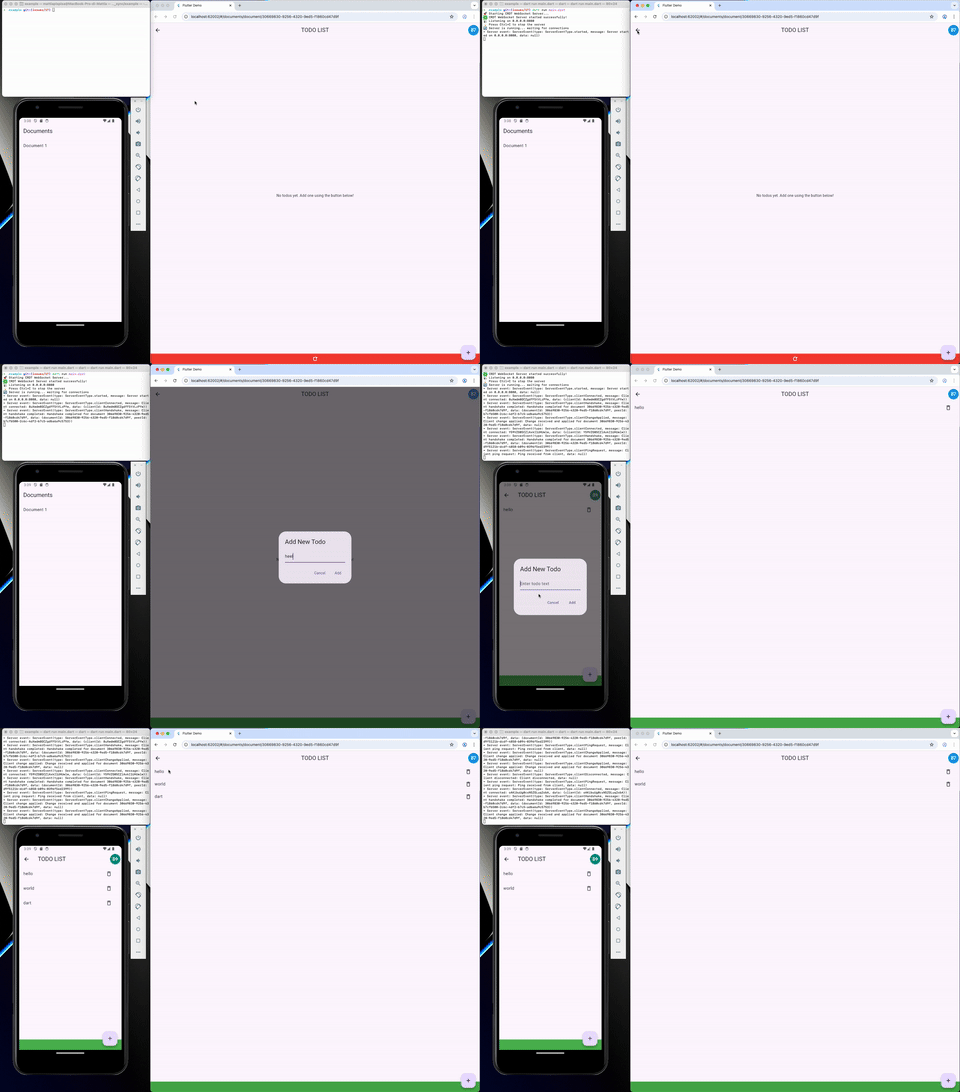
- client_example/ — the Flutter client counterpart, which connects to the server and shows the same examples as
crdt_lf, live over the real backend.
Run the server and a client. The workspace contains a .vscode folder with launch settings to run both server and client.
The server example and the flutter example already use the awareness plugin.
For a full relay mode application (relay client from this library + a Cloudflare Worker relay server), see the greyhound_markdown app.
Migrations
Migrating from 0.8.x to 0.9.0
A 0.8.x peer still connects. Both handshake fields this release adds are optional on read: a frame without them is read as protocol version 1 and as a peer that states no capabilities, which is what a 0.8.x peer meant. So the two sides can be upgraded one at a time.
What changes is the Dart API, and the crdt_lf floor: this release needs
crdt_lf: ^5.0.0, so a generic handler names its kind out loud — see the
crdt_lf migration guide.
// 0.8.x
final list = CRDTListHandler<Todo>(document, 'todos');

// 0.9.0
final list = CRDTListHandler<Todo>(document, 'todos', handlerType: 'todo-list');
Renamed or removed symbols:
| 0.8.x | 0.9.0 | Note |
|---|---|---|
Protocol.version ('1.0.0') | Protocol.protocolVersion (1) | An int, so a peer can tell an older version from a newer one. Protocol.firstProtocolVersion is what a frame without the field is read as. |
ConnectionStatus with four values | adds unsupported | An exhaustive switch over it needs another case. It is terminal: see Refusals are permanent. |
a CRDTSocketClient subclass owning its status stream | the base class owns it | connectionStatus, connectionStatusValue and the handshake gate move up; a transport only calls updateConnectionStatus, and the base makes unsupported sticky. |
PluginAwareMessageCodec(codecs) | PluginAwareMessageCodec(defaultCodec: ..., pluginCodecs: ...) | Kept apart so a message routes by type: from MessageTypeValue.firstPluginValue up it goes to a plugin's codec, which is what makes a plugin's encoder run at all. fromPlugins is unchanged. |
Nothing else moves: WebSocketClient, WebSocketRelayClient, the server
registries, the plugins and the wire codecs keep their 0.8.x signatures.
Apps
- greyhound_markdown — Real-time collaborative markdown editor built on crdt_lf
Packages
Other bricks of the crdt "system" are: